
HVAC website design for two busy seasons
An HVAC site has to sell in July and in January. VantaWeb builds yours with service pages for repair, replacement and tune-ups, an AI chat that answers from your details and request forms that save to your dashboard. The demo is a made-up Phoenix contractor, shown with real speed numbers.
See all 7 demo sites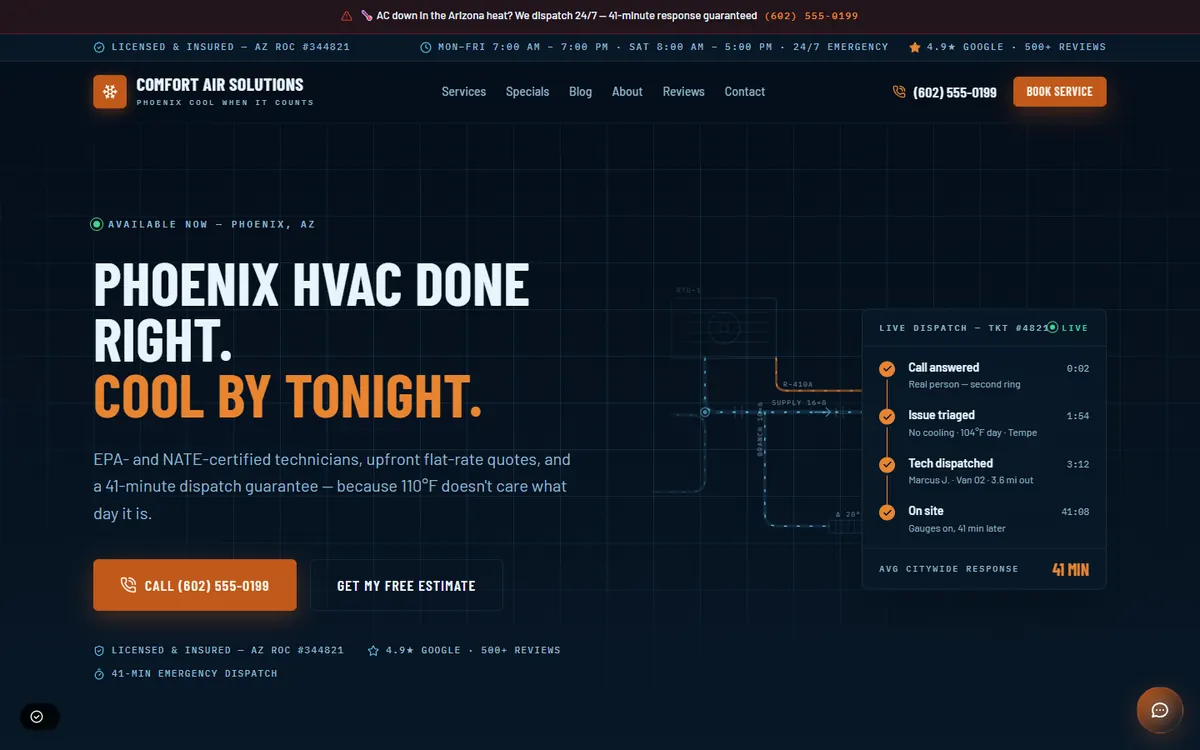
What does an HVAC demo site from VantaWeb look like?
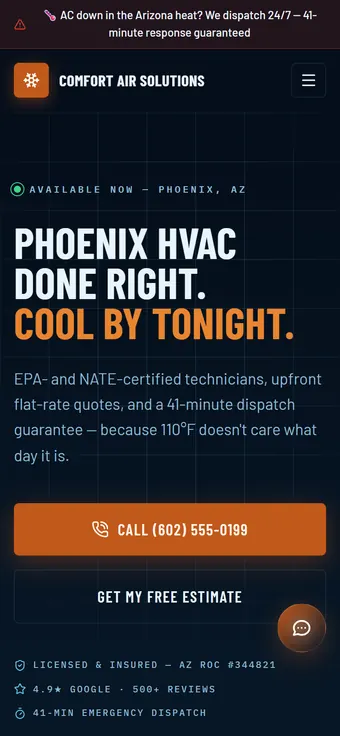
The demo is Comfort Air Solutions, a made-up Phoenix contractor. The home page opens with a no-cooling banner, then moves through services, a maintenance club, a rebate offer strip and a scheduling page.
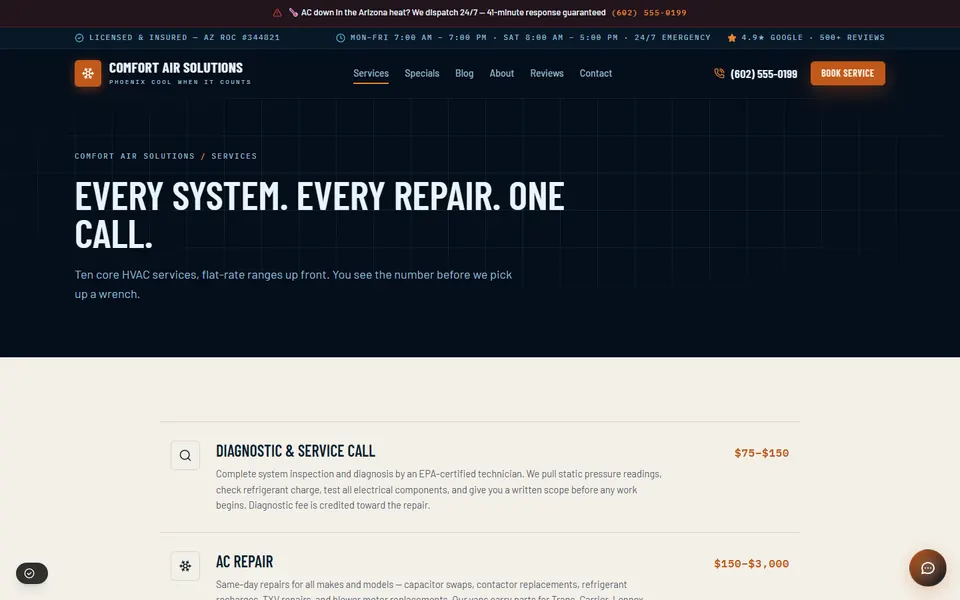
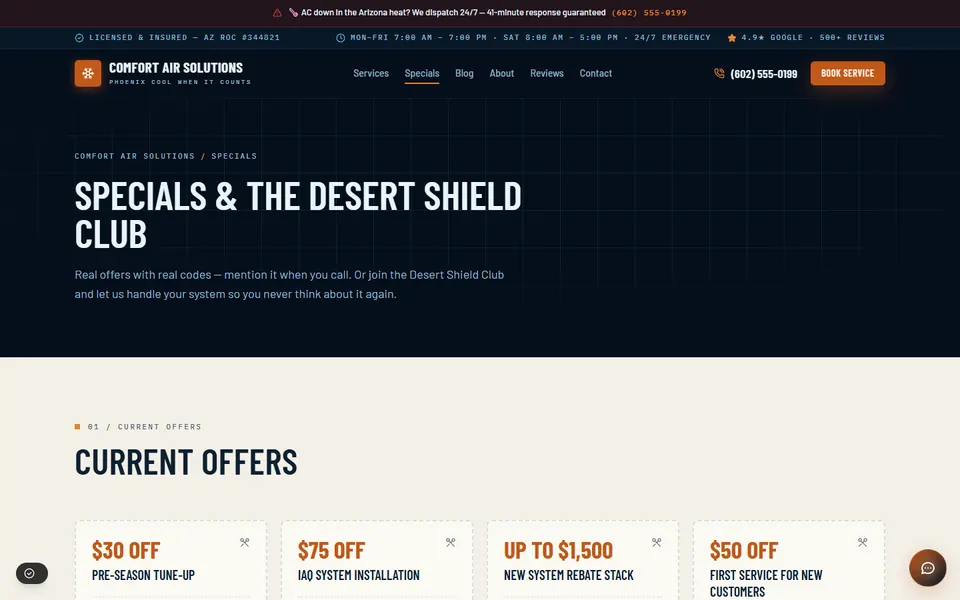
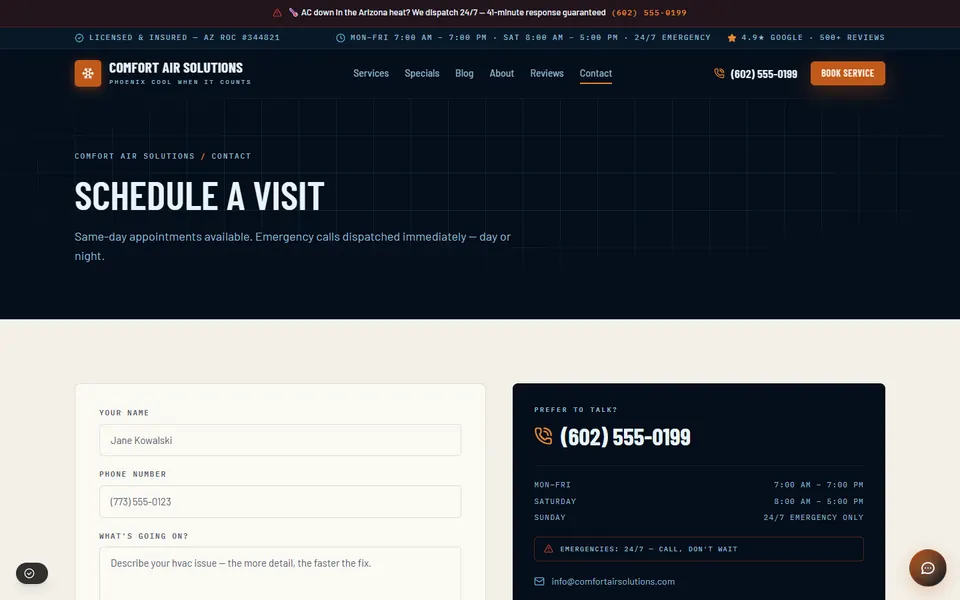
Open the live Comfort Air Solutions demo to scroll the full page. It is an example design: your site is built from our template and your details, so ask us which look fits.
What is included in a VantaWeb HVAC website?
Behind an HVAC site sit the plan features every VantaWeb customer gets: the premium AI website, the chat widget, lead forms feeding a dashboard, and unlimited inbound chats and leads. For a heating and cooling company that comes out as one page per system job, a click-to-call button and a chat that explains tune-ups.
- A page per system job
- Repair, replacement, furnace and heat pump work, tune-ups, duct work and indoor air quality, each with its own title, so a search for one job lands on that job.
- Both seasons on one site
- You give us the cooling jobs and the heating jobs in the order you want them seen, and the service list is built from that. The service area, license number and call button appear on every page.
- A request form for visits
- A homeowner fills in a name, phone number, the service, an urgency and a few words about what the unit is doing. Your office finds the request waiting as a contact in the dashboard.
- A chat that explains tune-ups
- It answers questions about what you offer and when you work, captures a name and number, and sends a no-cooling emergency to your phone. Booking a slot from the website chat is not available today.
- Phone answering on Surge and Apex
- Anna, the voice receptionist, asks the system questions you choose (cooling or heating, system age, what the unit is doing), follows your emergency rules and sends you a summary of each call. With the Auto-Booking add-on it can also book callers into your calendar. Your go-live date is confirmed during onboarding.
- What is left out
- Dispatch and maintenance-agreement software stay outside the plan. Maintenance-club, rebate and blog pages on the demo are layout examples; the standard build lists home, about, services, contact and pricing pages.
How do you build an HVAC website for summer and winter?
Plan two front pages inside one site: a cooling lead and a heating lead, with the season you are in on top. The demo opens with a no-cooling banner in the Phoenix heat. A contractor in Minnesota would put heating first in October and keep the other season one click away.
Repair demand follows the weather. The first heat wave and the first cold snap bring a flood of calls from people who have never looked at your site. The page they land on should already speak to their problem, not to the other season.
Give us both lists when you send your details. Cooling: repair, replacement, tune-up, duct work. Heating: furnace, heat pump, tune-up, indoor air quality. Say which you want shown first and what the banner should say. The banner on the Arizona demo names the heat and a response time; yours should name your climate and a time you can keep.
A tune-up offer works best when it has an end date. The demo’s pre-season tune-up coupon is the pattern: a small, specific offer shown before the season starts. Expired offers left on a page cost trust, so remove them when the date passes.
What do financing and maintenance-plan pages do on an HVAC site?
A replacement is a large purchase, so buyers look for payment options before they phone. A financing note and a maintenance-plan page answer those questions early. VantaWeb is not a lender: the page describes your lender and plan, and the application stays on your lender’s own site.
The demo shows both patterns. Its FAQ answers whether financing is available for new installations, and its specials page sets out a two-tier yearly plan beside a rebate strip. These are layout examples, not features switched on for every plan, so tell us if you want a financing or plan page when you send your details.
Keep financing wording plain: name the lender, say approval depends on the buyer, and link to the lender’s application. For a maintenance plan, state the price per year, how many visits it includes and what each visit covers. A plan page can describe the plan and take a request through the lead form. Online payment for a plan is not part of the plans listed on the pricing page.
Rebates change. If you show one, date it and name the program, and take it down when the program ends. The demo’s rebate strip is sample copy for a fictional company.
How fast is a VantaWeb HVAC demo?
Lighthouse on the live Comfort Air Solutions demo, run 2026-10-17: Performance 82, largest contentful paint 3.7 s, layout shift 0, blocking time 0 ms. Those are the demo’s own numbers, not a promise for your site.
| Measure | Result |
|---|---|
| Performance score | 82 (runs: 83, 82, 82) |
| Largest contentful paint | 3.7 s |
| Layout shift | 0 |
| Total blocking time | 0 ms |
| Accessibility | 89 |
| Best practices | 100 |
| SEO | 63 |
Lighthouse 13.5.0, mobile preset, 2026-10-17. Median of three runs on demos.vantaweb.io/hvac.
The three runs scored 83, 82 and 82, a steady result. Largest contentful paint sat between 3.58 and 3.70 s every time, above the 2.5 s Google treats as good. The SEO figure is lower because the demos are noindex by design.
How does the price compare with an HVAC web agency?
HVAC costs more than most trades in the same source: $2,900 to $9,450 from a freelancer and $7,250 to $23,200 from an agency in the US, plus $40 to $200 a month for hosting, tools and upkeep. The lowest VantaWeb plan on the pricing page is $149 a month.
| Route | Build | Monthly upkeep | Three years in total |
|---|---|---|---|
| Agency build | $7,250 to $23,200 | $40 to $200 | $8,690 to $30,400 |
| Freelancer build | $2,900 to $9,450 | $40 to $200 | $4,340 to $16,650 |
| VantaWeb, lowest plan | Included in the plan | $149 | $5,364 |
Agency and freelancer figures: Project Cost Estimator, “HVAC Company Website Cost 2026”, updated July 2026, read 2026-10-17. Three-year totals are our arithmetic: build plus 36 months of upkeep.
The source describes a typical HVAC build as an emergency banner, service pages, a maintenance-plan sign-up, a seasonal offer and service-area pages. It lists no AI chat or lead dashboard.
Its largest monthly line is a dispatch or booking platform at $100 to $300. That is a different product, and a VantaWeb plan does not replace it.
With no binding term, the three-year figure for VantaWeb is an illustration. Plans and add-ons are on the pricing page.
Source: projectcostestimator.com/cost/industry/hvac. Its publisher, Scopebit, sells paid estimate tools and does not publish the method behind its 600+ quotes. Treat the figures as a benchmark and collect your own quotes.
What should an HVAC contractor check on their own website?
Nine checks you can run on a phone before the next heat wave or cold snap. They come from the demo and from how HVAC calls tend to arrive.
- The no-cooling or no-heat path is one tap from the home page, with the phone number visible.
- The home page shows the services for the season you are in, and the other season is one click away.
- Each system job has its own page: repair, replacement, tune-up, duct work, heat pump.
- Every tune-up or rebate offer on the page has an end date or a program name.
- The financing note names the lender and says approval depends on the buyer.
- Brand and certification badges are ones your company actually holds.
- The maintenance plan page states the yearly price and what each visit includes.
- The request form asks for the system type and age, so the first call is shorter.
- The service area names the towns you cover.
Questions about HVAC websites
How much does an HVAC website cost?
Project Cost Estimator lists $2,900 to $9,450 for a freelancer-built US HVAC site and $7,250 to $23,200 for an agency build (July 2026), plus $40 to $200 a month for hosting, tools and upkeep. VantaWeb sells a monthly plan instead; the current prices are on the pricing page.
Can the website sell maintenance plans online?
The site can describe your plan and take a request through the lead form. Online payment for a plan is not part of the plans listed on the pricing page, so you or your team signs the customer up outside the website.
Is Comfort Air Solutions a real company?
No. It is a fictional Phoenix business we made up, and its reviews, star ratings, phone number, license number, certifications and rebate offers are fictional samples. Nothing on that demo is a client or a measured result.
Does the chat quote prices or book tune-ups?
No. The chat answers questions about your services and hours, captures the visitor’s name and phone number and sends emergencies to your phone. Your team prices the job and schedules the visit.
Does VantaWeb connect to my dispatch software?
No. VantaWeb does not connect to dispatch or maintenance-agreement software. A request arrives in the dashboard, and your dispatcher copies it into the system that runs your trucks.
Keep going
Open the HVAC demo and see both seasons
Look through the Phoenix demo on your phone, then pick the plan that fits.