
Plumber website design built around the emergency call
VantaWeb builds plumbing websites with a page for each job you list, a call button that stays within thumb reach, a quote form that saves to your dashboard and an AI chat that answers from your own details. The demo below is a made-up Chicago plumber, with measured speed and a sourced price check.
See all 7 demo sites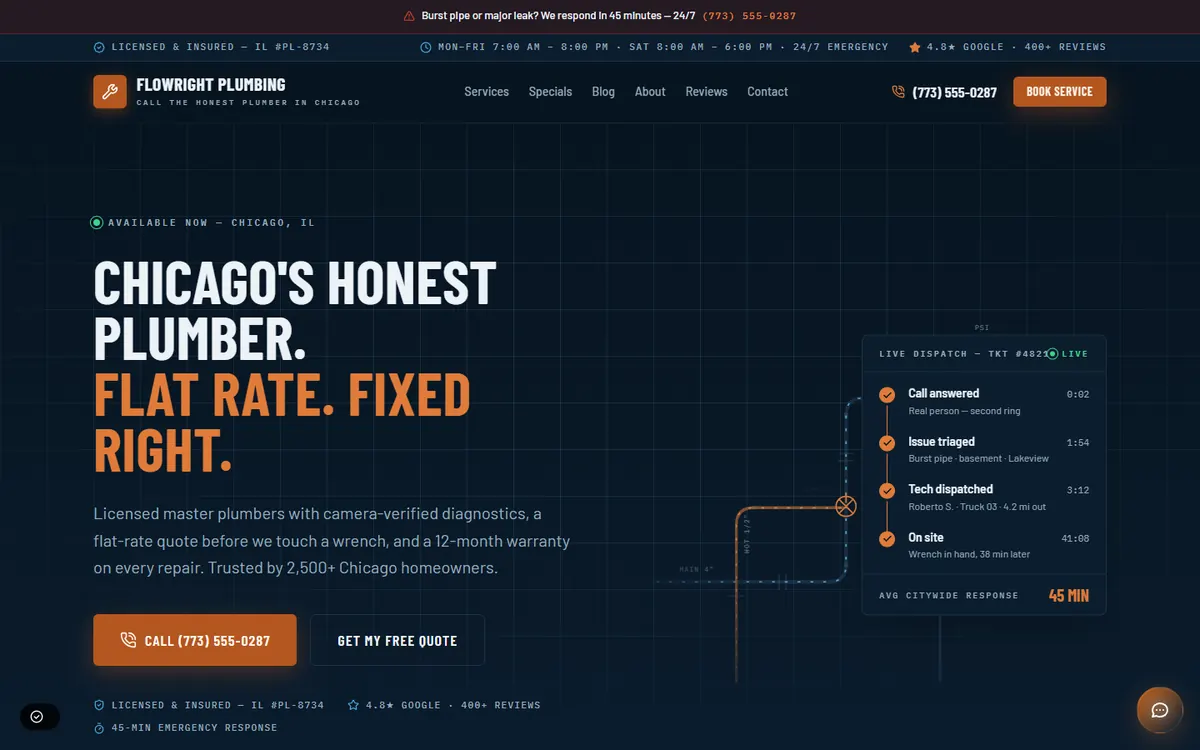

What does a plumber demo site from VantaWeb look like?
Open the FlowRight Plumbing demo, a made-up Chicago company. Its home page leads with a burst-pipe banner and the phone number, then moves through services with published price ranges, a five-step job flow, a service-area map and a contact page.
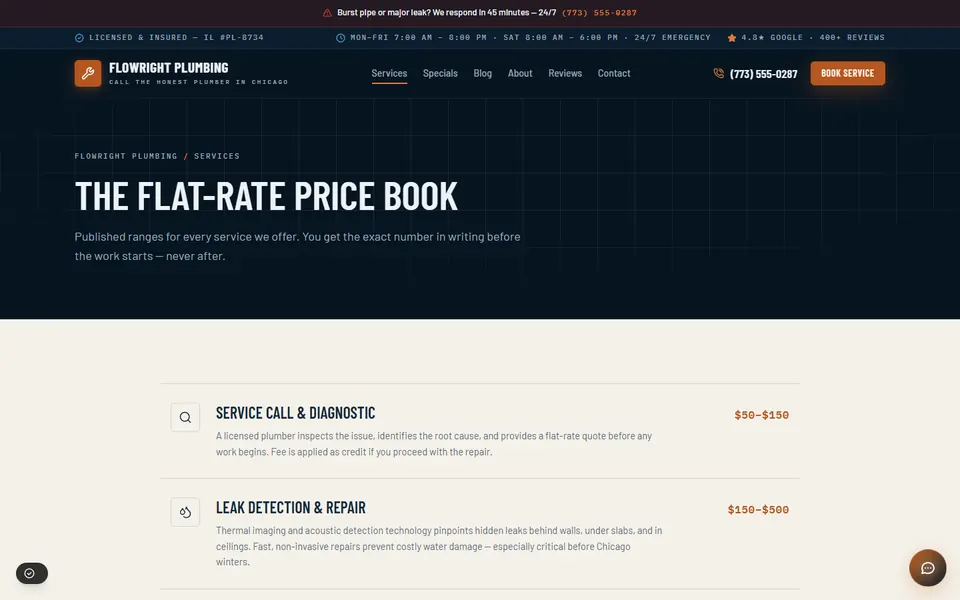
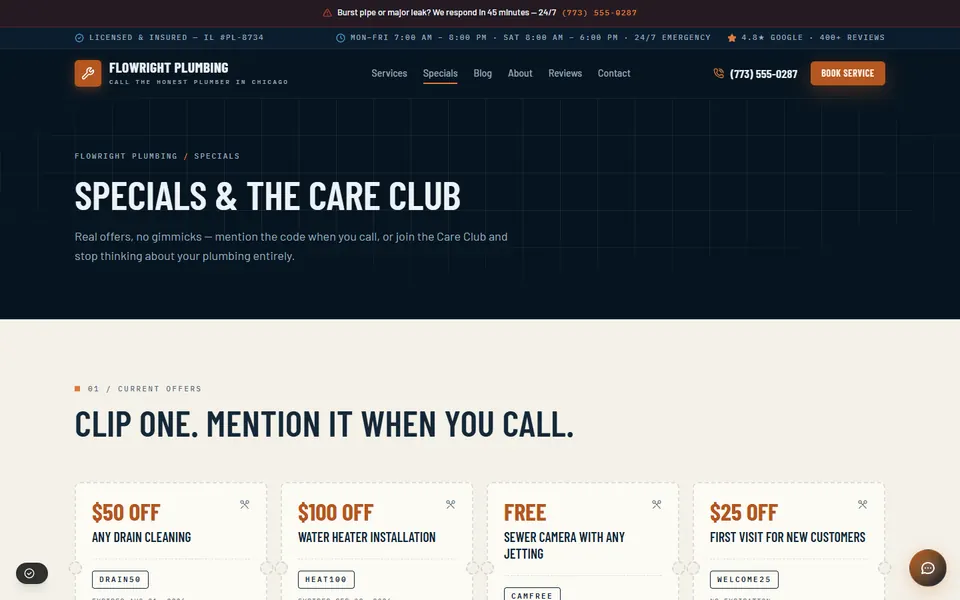
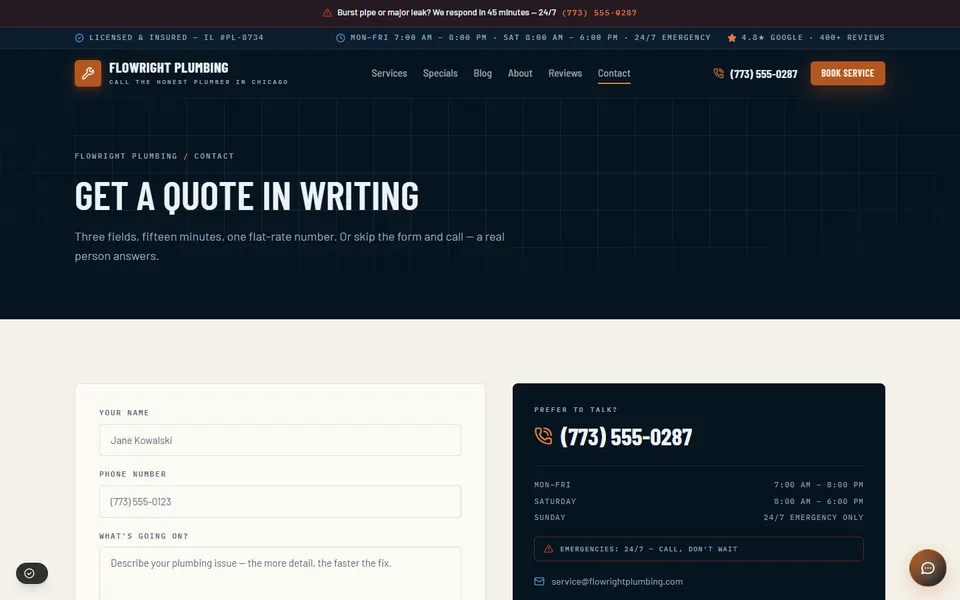
Open the live FlowRight Plumbing demo to scroll the full page. It is an example design: your site is built from our template and your details, so ask us which look fits.
What is included in a VantaWeb plumber website?
A plumber gets the same plan list as every trade: a premium AI website, an AI chat widget, lead forms into a dashboard and unlimited inbound chats and leads. In practice that is one page per service, your license number, a tap-to-call button and a chat that sends a burst-pipe visitor to your phone.
- A page for every job you sell
- Drain cleaning, water heaters, leak repair, sewer lines, fixtures. Each page has its own title and description, the symptoms people search for, and a starting price if you choose to show one.
- Your license and your service area
- The license number and the towns you cover are written into the site. A star rating shows only when it comes from a named platform such as Google; without one, the section stays hidden.
- A call button that follows the scroll
- On phones the number stays on screen as people read, so a leak call is one tap from any page.
- A quote form that reaches you
- Visitors give a name and phone number, pick the service, say how urgent it is and describe the problem. Each submission is saved as a contact in your dashboard.
- AI chat from your own details
- The chat answers questions about your services and hours and captures the lead. For a burst pipe it points the visitor to your phone number. It does not book a time slot from the website chat today.
- Phone answering on Surge and Apex
- The Anna voice receptionist takes the business line with plumbing intake questions and your emergency rules. With the Auto-Booking add-on it can book callers into your Google Calendar, or into VantaWeb’s built-in scheduling if you do not use a calendar app. The pricing page lists how many voice minutes each plan includes. Your go-live date is confirmed during onboarding.
- What is left out
- No link into field service or accounting tools. The coupon, care-plan and blog pages on the demo are layout examples. The standard build lists home, about, services, contact and pricing pages, so ask us first if you want one of the others.
How should a plumber website handle the burst-pipe call?
Treat it as a two-minute page. The visitor needs a number to tap, a promise about how fast you answer and something useful to do while waiting. The FlowRight demo has all three: a banner above the menu, the number in the header and a short list for shutting off the water.
Plumbing leads arrive at the worst moment. Someone with water on the kitchen floor does not read the About page. They look for a phone number, check that you work at night and leave if either is hard to find. A plumbing site earns its keep in those first seconds.
On the demo, the top bar carries the emergency promise and the header repeats the number next to a booking button. Further down, an emergency band gives three steps a homeowner can take before anyone arrives: shut the main water valve, open the lowest faucet to drain the lines, then call. A page that helps in that moment is the one a stressed person keeps open.
The chat follows the same rule. When a visitor types that a pipe has burst, it should send them to your phone number instead of continuing a conversation. You set the greeting, tone and services description in the dashboard, so the chat only describes work you actually do.
Write the response time you can keep. The demo’s 45-minute figure belongs to a fictional company. If your crews take an hour on a bad night, say an hour.
Which pages does a plumbing company need besides the home page?
Each service you sell needs its own page, and each area you cover needs a mention. A water-heater page can compare tank and tankless units, a drain page can list symptoms, and service-area text helps people in your towns find you.
- Drain cleaning: slow drains, gurgling fixtures, sewer smells, and what each cleaning method involves.
- Water heaters: tank or tankless, the unit size, whether a permit applies and whether the old unit is hauled away.
- Leak detection and repair: the signs of a hidden leak and how you find the source.
- Sewer camera inspection: what the camera shows and whether the homeowner gets the footage.
- Toilets, faucets and fixtures: the small jobs that fill the calendar between emergencies.
Decide how to treat prices. The demo publishes a flat-rate range for every service, which tells a homeowner what to expect before the call. If you would rather not publish numbers, say what the visit fee covers and whether it is credited toward the repair.
The demo also shows a service-area map with neighborhood names. On a customer site the service-area content is built from the towns and neighborhoods you give us, so list the real ones, not just the county.
How fast is a VantaWeb plumber demo?
Lighthouse on the live FlowRight Plumbing demo, run 2026-10-17: Performance 82, largest contentful paint 3.72 s, layout shift 0, blocking time 0 ms. Those are the demo’s own numbers, not a promise for your site.
| Measure | Result |
|---|---|
| Performance score | 82 (runs: 71, 82, 82) |
| Largest contentful paint | 3.72 s |
| Layout shift | 0 |
| Total blocking time | 0 ms |
| Accessibility | 89 |
| Best practices | 100 |
| SEO | 63 |
Lighthouse 13.5.0, mobile preset, 2026-10-17. Median of three runs on demos.vantaweb.io/plumbing.
Two runs scored 82 and one scored 71, which shows how far a single run can move. Largest contentful paint stayed above the 2.5 s that Google treats as good in all three, so this demo is not fast on a throttled phone. The SEO score is low because the demos are set to noindex.
We also ran the test on a plumbing demo tenant built on the template that customer websites use (also noindex). Its median Performance score was 94 across runs of 94, 98 and 72, with a median largest contentful paint of 2.58 s.
How does the price compare with a plumber web agency?
Project Cost Estimator (July 2026) quotes a US plumber $2,200 to $7,250 for a freelancer-built site and $5,800 to $17,400 for an agency build, then $30 to $150 a month to keep it running. The lowest VantaWeb plan on the pricing page is $149 a month.
| Route | Build | Monthly upkeep | Three years in total |
|---|---|---|---|
| Agency build | $5,800 to $17,400 | $30 to $150 | $6,880 to $22,800 |
| Freelancer build | $2,200 to $7,250 | $30 to $150 | $3,280 to $12,650 |
| VantaWeb, lowest plan | Included in the plan | $149 | $5,364 |
Agency and freelancer figures: Project Cost Estimator, “Plumber Website Cost 2026”, updated July 2026, read 2026-10-17. Three-year totals are our arithmetic: build plus 36 months of upkeep.
That source’s typical plumbing site has a tap-to-call button, an emergency banner, service-area pages, a quote form and reviews. An AI chat and a lead dashboard are not on its list; both come with every VantaWeb plan.
The trade-off is design freedom. An agency draws every page around your brand, while a VantaWeb site starts from a shared template built from your business details, so the layout choices are narrower.
With no binding term, the three-year figure for VantaWeb is an illustration. Plans and add-ons are on the pricing page.
Source: projectcostestimator.com/cost/industry/plumber. Its publisher, Scopebit, sells paid estimate tools and does not publish the method behind its 600+ quotes. Treat the figures as a benchmark and collect your own quotes.
What should a plumber check on their own website?
Ten checks you can run in ten minutes on your phone, using your current site or ours. They come from the demo and from the way plumbing calls tend to arrive.
- Your phone number is a tap target on every page, including the service pages.
- A visitor can tell within five seconds whether you work nights and weekends.
- Every service you sell has its own page and its own title.
- Your license number is visible without scrolling to the footer.
- The service area names towns and neighborhoods, not only a county.
- The water-heater and drain pages say what the job costs, or what the visit fee covers.
- The quote form needs few fields, and a test submission reaches a person the same day.
- Any star rating links to the Google or Yelp page it came from.
- The page loads in a few seconds on mobile data, not only on your office wifi.
- Someone tests the burst-pipe path on a phone once a month.
Questions about plumber websites
How much does a plumber website cost?
In July 2026 one benchmark source listed $2,200 to $7,250 for a freelancer-built US plumber site and $5,800 to $17,400 for an agency build, with $30 to $150 a month for hosting and upkeep. VantaWeb charges monthly instead, and the current plans are on the pricing page.
Can the chat widget book a plumbing appointment?
Not from a customer website today. The chat answers questions from your details, captures the visitor’s name and phone number as a lead and sends emergencies to your phone. Booking into a calendar is done by the Anna voice receptionist, on a Surge or Apex plan with the Auto-Booking add-on.
Is FlowRight Plumbing a real company?
No, we invented it to show a layout. The reviews, star ratings, phone number and license number on the demo are fictional samples, so none of it is a client, a testimonial or a result.
Will the website work with my scheduling software?
Your scheduling software stays separate. VantaWeb has no link into field service or dispatch tools, so a lead lands in the VantaWeb dashboard and someone in your office types the job into the system you already use.
How do I get a plumbing website live?
Pick a plan in the builder, send your services, service area, hours, phone number and license number, review the draft site and the chat answers, then publish. If you choose Surge or Apex, your phone go-live date is confirmed during onboarding.
Keep going
See the plumbing demo, then build yours
Scroll the whole FlowRight Plumbing demo on your phone, then choose a plan.