
Roofing website design that is ready before the storm
After a hailstorm, a roofer’s site is judged in seconds. VantaWeb builds roofing sites with a page for each roof type, a storm-damage page, an inspection request form that saves to your dashboard and an AI chat that stays inside your facts. The demo is a made-up Dallas roofer.
See all 7 demo sites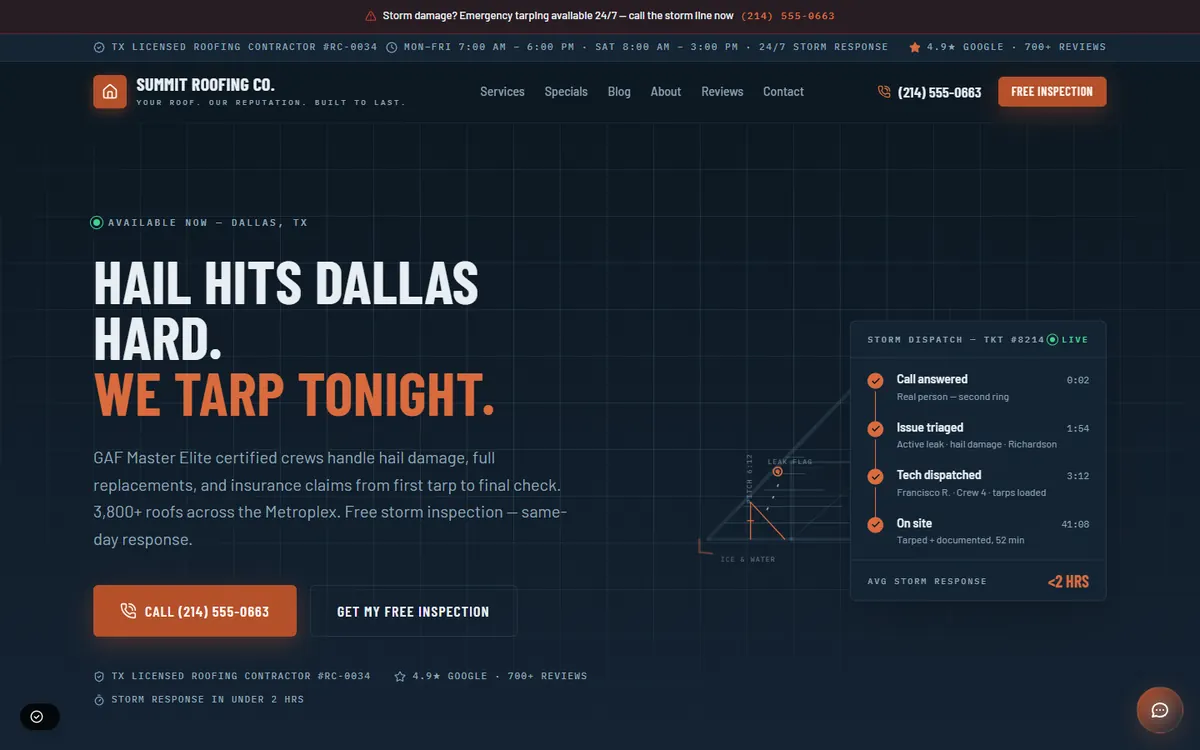
What does a roofing demo site from VantaWeb look like?
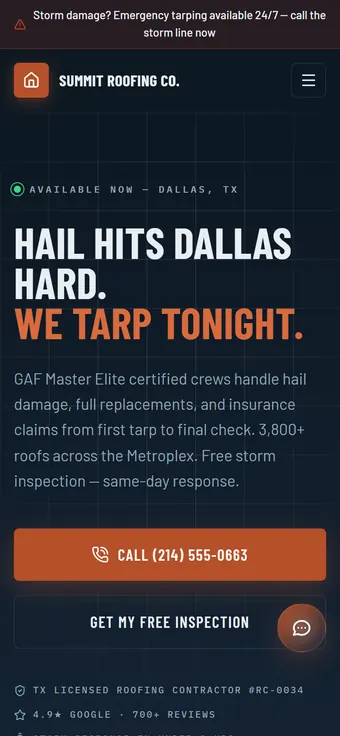
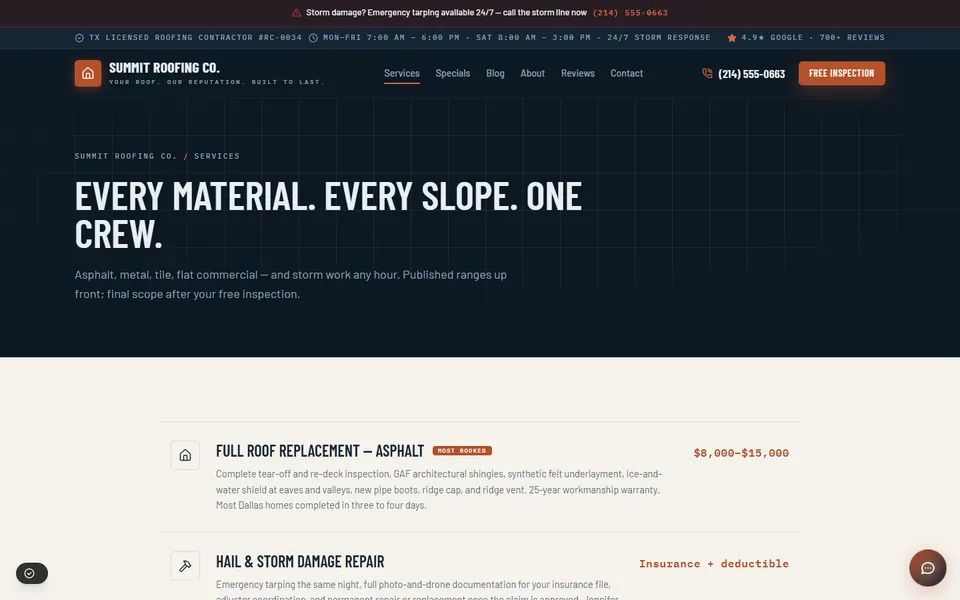
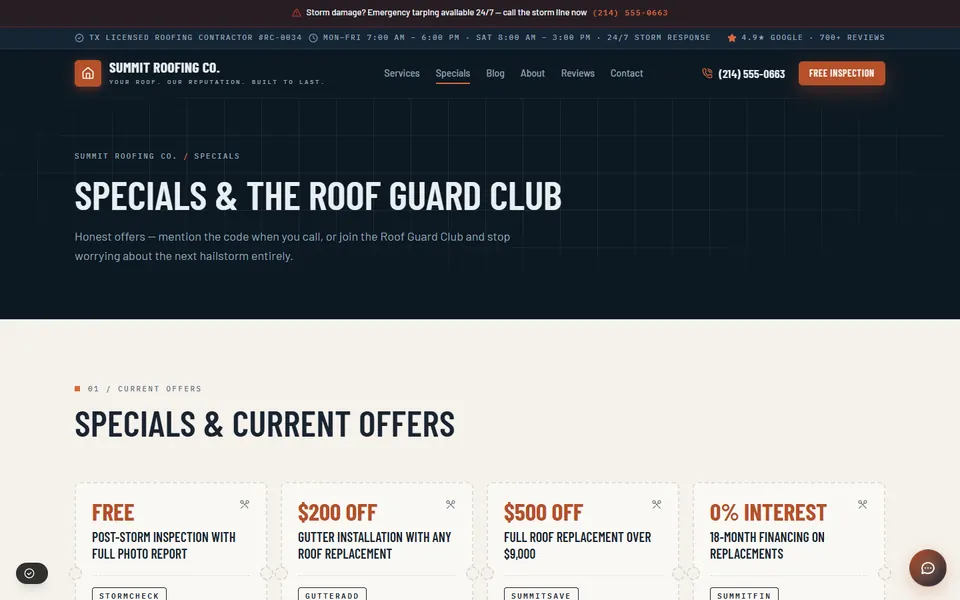
The demo is Summit Roofing Co., a made-up Dallas company. The home page opens on a storm line and a hail headline, then moves through services by material, financing and offers, and a free-inspection request page.
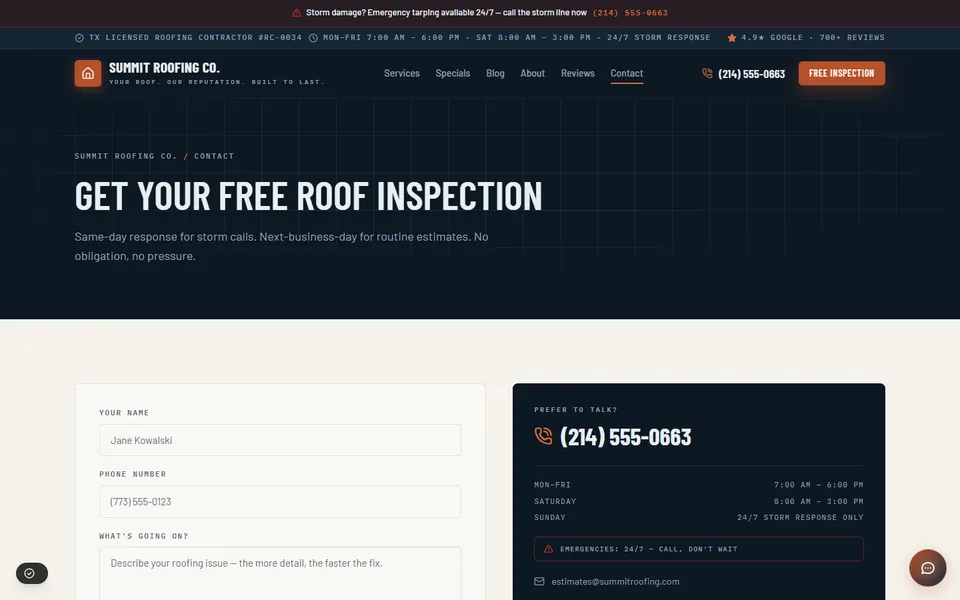
Open the live Summit Roofing Co. demo to scroll the full page. It is an example design: your site is built from our template and your details, so ask us which look fits.
What is included in a VantaWeb roofing website?
The plan list is the same for every trade, and for a roofer it turns into a page for each roof type, a storm-damage page, your license number and a form that puts the property and the problem in front of you. The AI chat, the dashboard and unlimited inbound chats and leads come with every plan.
- A page per roof job
- Replacement by material, repair, storm and hail damage, inspections. Each gets its own title and description so a search for one roof type lands on that job.
- A storm-damage page
- Storm and hail repair is a service like any other, so it gets its own page: what to photograph, how to protect the property and how to reach you, written from what you tell us about your storm process.
- An inspection request
- The form takes a name and phone number, the service wanted and how soon, with a description box where the homeowner can add the roof age and the storm date. Each request is stored as a dashboard contact. It asks for an inspection and does not quote a price.
- A chat that stays inside your facts
- It answers from the roof types and service area you give us and captures the lead. For an active leak it points the visitor to your phone number. Booking a slot from the website chat is not available today.
- Phone answering on Surge and Apex
- Anna, the voice receptionist, asks your roofing questions (active leak, storm date, roof age), follows your emergency rules and, with the Auto-Booking add-on, can book callers into your calendar. Your go-live date is confirmed during onboarding.
- What is left out
- Roofing job and estimating software stay outside the plan. The gallery, financing and roof-plan pages on the demo are layout examples; the standard build lists home, about, services, contact and pricing pages.
How should a roofing website behave on a storm day?
After hail the phone rings for days, and most callers want the same three things: a tarp, an inspection and someone to tell them what comes next. Put the storm line on top, explain what to photograph, and say honestly how fast you can come. The Dallas demo opens this way.
A storm page has one job: take a frightened homeowner from “water is coming through the ceiling” to a phone call or a request. The demo’s headline names the weather, its banner names the storm line, and the first button is a call.
Below the banner, give the homeowner something to do. Photograph the damage from the ground, keep wet items away from the leak, and keep receipts for emergency repairs. Then say what your crew does: tarp the roof, inspect it, send a photo report.
Be careful with speed promises. The demo promises storm response in under two hours, which is sample copy for a fictional company. After a regional storm no crew meets a two-hour promise every time, so write the response you can keep on a bad week.
After hours, the chat can take a name, a phone number and a description of the damage and pass them to your dashboard. On a Surge or Apex plan, the Anna voice receptionist covers the phone side with your storm intake questions.
What does a roofing insurance-claim page need to say?
Homeowners often search for help with a claim before they search for a roofer. A claim page should say what you do, such as an inspection and a photo report, and what you do not do: the insurer decides the claim. Never promise an outcome.
The demo’s services page lists a storm and hail repair line with an insurance note, and its inspection service includes a photo report. Those are the things a claim page can describe: what the inspection covers, what the report contains and what paperwork you can supply.
- What you will do: inspect, photograph, write up the findings and answer the adjuster’s questions about your work.
- What the homeowner should have ready: the policy number, the date of the storm and photos taken before any repair.
- What you will not do: decide the claim, promise approval or advise anyone to skip the deductible.
Financing and the form belong near each other. The demo puts an 18-month financing line on its specials page and a free-inspection form on its contact page. Name your lender, say approval depends on the buyer, and keep the request form short. VantaWeb is not a lender and does not take financing applications.
How fast is a VantaWeb roofing demo?
Lighthouse on the live Summit Roofing Co. demo, run 2026-10-17: Performance 82, largest contentful paint 3.71 s, layout shift 0, blocking time 0 ms. Those are the demo’s own numbers, not a promise for your site.
| Measure | Result |
|---|---|
| Performance score | 82 (runs: 82, 82, 82) |
| Largest contentful paint | 3.71 s |
| Layout shift | 0 |
| Total blocking time | 0 ms |
| Accessibility | 92 |
| Best practices | 100 |
| SEO | 63 |
Lighthouse 13.5.0, mobile preset, 2026-10-17. Median of three runs on demos.vantaweb.io/roofing.
All three runs scored 82, with largest contentful paint between 3.70 and 3.74 s. That is above the 2.5 s Google treats as good, so the demo is slower than it looks on a throttled phone. SEO is low because the demos are hidden from search engines.
How does the price compare with a roofing web agency?
For roofers the same source gives $2,900 to $8,700 with a freelancer and $7,250 to $21,750 with an agency in the US, with $35 to $180 a month on top for hosting, tools and maintenance. The lowest VantaWeb plan on the pricing page is $149 a month.
| Route | Build | Monthly upkeep | Three years in total |
|---|---|---|---|
| Agency build | $7,250 to $21,750 | $35 to $180 | $8,510 to $28,230 |
| Freelancer build | $2,900 to $8,700 | $35 to $180 | $4,160 to $15,180 |
| VantaWeb, lowest plan | Included in the plan | $149 | $5,364 |
Agency and freelancer figures: Project Cost Estimator, “Roofer Website Cost 2026”, updated July 2026, read 2026-10-17. Three-year totals are our arithmetic: build plus 36 months of upkeep.
A typical roofing build in the source has an estimate form, a gallery, a storm-damage page, financing and service-area pages, with no AI chat or dashboard.
The source prices a financing plus instant-estimate embed at $500 to $1,500 and a gallery at $300 to $800, both extra. VantaWeb’s form is an inspection request, and its chat does not calculate a price.
With no binding term, the three-year figure for VantaWeb is an illustration. Plans and add-ons are on the pricing page.
Source: projectcostestimator.com/cost/industry/roofer. Its publisher, Scopebit, sells paid estimate tools and does not publish the method behind its 600+ quotes. Treat the figures as a benchmark and collect your own quotes.
What should a roofing company check on their own website?
Nine checks to run on a phone before the next storm season. They come from the demo and from how roofing leads tend to arrive.
- A storm or leak phone number sits above the menu on every page.
- The storm page tells homeowners what to photograph and how to protect the property.
- Each roof type you install has its own page, from asphalt to metal and tile.
- The insurance page states what you do and that the insurer decides the claim.
- Your license number and any manufacturer certification appear only if you hold them.
- Any financing note names the lender and makes no approval promise.
- The inspection form asks for the address, the roof age and the date of the damage.
- Reviews are quoted from Google or another named source, with a link back.
- Photos of finished roofs are your own jobs, with the city named.
Questions about roofing websites
How much does a roofing website cost?
For a US roofer, Project Cost Estimator (July 2026) lists $2,900 to $8,700 for a freelancer build and $7,250 to $21,750 for an agency build, with $35 to $180 a month for hosting, tools and maintenance. VantaWeb sells a monthly plan, and the current prices sit on the pricing page.
Can the chat give an instant roof estimate?
No. The chat answers questions about your roof types and service area, captures the visitor’s name and phone number and sends emergencies to your phone. An instant-estimate tool is a separate product in the agency market and is not listed on the VantaWeb pricing page.
Is Summit Roofing Co. a real company?
No, it is a Dallas business we made up. Its reviews, star ratings, phone number, license number, manufacturer certifications, storm response time and financing offer are fictional samples, and none of it is a client or a result.
Can I show before-and-after photos?
You can send photos of your own finished jobs with your business details. A dedicated gallery page is not part of the standard five-page build, so ask for it when you send them.
Does VantaWeb connect to my roofing job software?
No. VantaWeb has no connection to roofing job or estimating software. An inspection request is saved as a dashboard contact, and your office carries it into whatever tracks your jobs.
Keep going
Open the roofing demo before the next storm
Read the Dallas storm-response demo on your phone, then see which plan suits your crew.